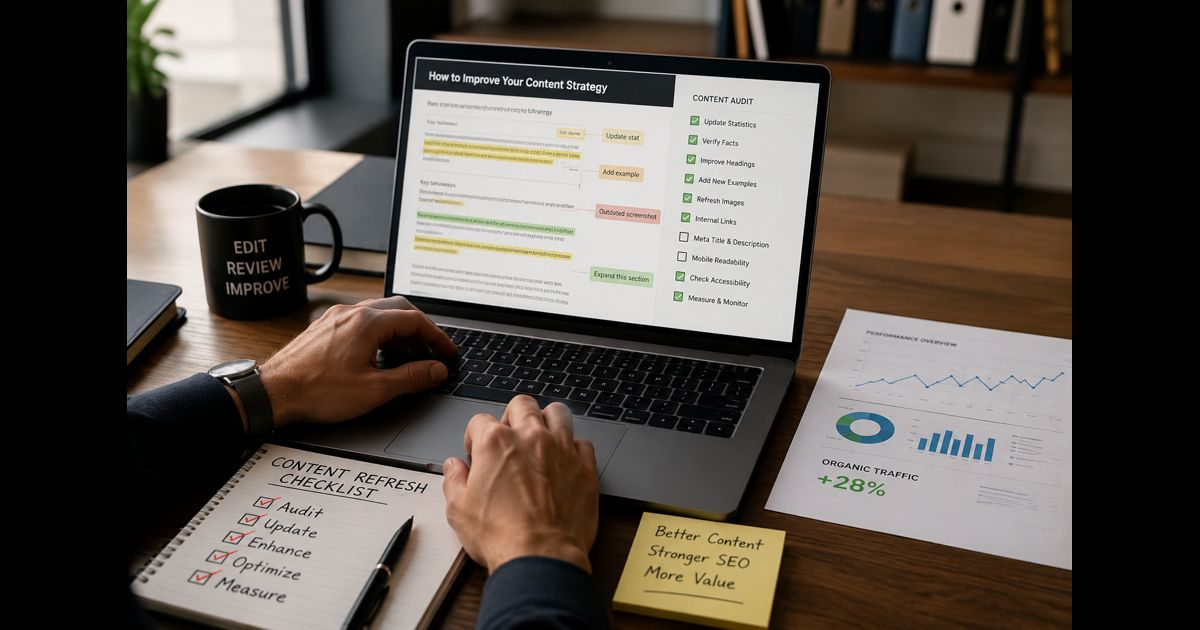
A content refresh checklist helps you improve an existing page without treating every performance decline as a reason to rewrite it from scratch.
Good pages age in different ways. A statistic becomes outdated. A recommendation no longer reflects the available options. Screenshots show an old interface. Competitors explain a subtopic more clearly. A once-useful article becomes difficult to scan on a phone. Sometimes the substance is still strong, but the title no longer earns clicks.
The right refresh preserves what remains valuable, repairs what has weakened, and adds material that makes the page more useful now than it was at publication.
Start With a Page Inventory
Do not begin with the oldest pages simply because they are old. Age is a prompt to review, not proof that a page needs work.
Create a working list of pages and record:
- URL and page title
- Original publication date and latest substantial update
- Primary subject and page purpose
- Organic clicks, impressions, and click-through rate
- Important ranking changes
- Conversions, leads, subscriptions, or other page-level outcomes
- Backlinks and internal links pointing to the page
- Whether the information includes dates, prices, laws, products, software interfaces, or statistics that can change
- The recommended action: refresh, expand, consolidate, redirect, retain, or remove
This inventory prevents scattered editing. It also creates a record of why the page was changed and what result the update was intended to achieve.
Prioritize Pages by Opportunity, Not by Frustration
A page deserves priority when it still has an asset worth protecting: visibility, backlinks, useful information, a valuable URL, or clear relevance to an important topic.
Review these signals together.
Declining clicks with stable impressions
When impressions hold steady but clicks fall, the page may still be visible but less compelling than competing results. Review the title, description, date shown in results, and whether the promise made before the click matches the page itself.
Falling impressions and rankings
A broad decline can indicate that the information is no longer complete, accurate, or competitive. Compare the current page with the information now available from trusted sources and leading pages in the results.
High impressions but a position just outside the top results
A page ranking around positions 8 to 20 can be a strong refresh candidate. It already has some relevance and may need better coverage, clearer structure, improved evidence, or a more specific explanation of a key section.
Valuable pages with outdated details
Pages that contain legal guidance, product specifications, technical instructions, pricing, health information, software steps, or annual data should be reviewed whenever the underlying facts change—not only on a fixed calendar.
Pages with useful backlinks
A URL with quality backlinks should be handled carefully. If the topic remains useful, refreshing the existing URL is usually safer than replacing it with a new page and abandoning the value already attached to the original.
Choose the Correct Action Before Editing
Not every underperforming page needs a refresh. The wrong intervention can create duplicate coverage, weaken a useful URL, or waste editorial time.
|
Condition |
Best action |
|
Core information is accurate but examples, evidence, visuals, or structure are dated |
Refresh |
|
The page is incomplete but still targets a distinct subject |
Expand |
|
Two or more pages answer substantially the same question |
Consolidate |
|
The subject has changed so much that the old page cannot be corrected honestly |
Replace with a new page and redirect carefully |
|
The page has no meaningful value, no useful links, and no distinct role |
Remove or redirect only where an equivalent replacement exists |
|
The page is still accurate and performing well |
Retain and schedule a later review |
A refresh is not cosmetic editing. It should solve a specific problem. Write one sentence before making changes:
This page is being updated because ________, and the completed version should improve ________.
That statement keeps the work focused and makes post-publication review possible.
Preserve What Already Works
Before editing the draft, identify the elements that should remain.
Check:
- Sections that rank or earn featured snippets
- Passages that are cited, quoted, or linked by other sites
- High-performing headings
- Original examples, photographs, screenshots, templates, or data
- URLs with meaningful backlinks
- Internal links from important pages
- Conversion elements that already perform well
Do not remove useful sections merely to make an article shorter. Remove repetition, unsupported claims, outdated material, and sections that no longer help the reader—not proven value.
If changing a URL is unavoidable, map the old address to the most relevant replacement with a permanent redirect. Do not redirect several unrelated old pages to a homepage; that does not give visitors a useful substitute.
Verify Every Time-Sensitive Claim
A content refresh should begin with factual verification, not word-count expansion.
Review every item that can become stale:
- Statistics and survey findings
- Dates and timelines
- Product names, plans, prices, and availability
- Software menus, settings, and screenshots
- Legal, regulatory, tax, health, safety, and compliance details
- Named organizations, job titles, and official procedures
- Recommendations involving tools, platforms, or services
- Broken, redirected, or irrelevant references
For each factual claim, ask:
- Is it still accurate?
- Is the source current and authoritative?
- Does the evidence support the exact claim being made?
- Does the surrounding context prevent a misleading interpretation?
- Does the reader need a date, qualification, or limitation to use the information safely?
If a claim cannot be verified, revise it, qualify it, or remove it. Keeping an attractive but uncertain statement is not a content improvement.
Rebuild the Article Around Reader Decisions
Many older articles contain information but do not guide action. Improve the order so readers can understand the issue, make the necessary distinction, and act without hunting through the page.
A strong practical structure often follows this sequence:
- Give the direct answer or practical conclusion early.
- Explain the distinction that prevents the most common mistake.
- Cover the steps in the order they must be performed.
- Add examples where the decision could be misunderstood.
- Address limits, exceptions, risks, or situations where the advice changes.
- End with a concise next-step checklist.
This structure helps readers, featured-result systems, and answer engines identify the page’s most useful information without reducing the article to shallow fragments.
Add Information Gain, Not Filler
Expansion is useful only when it makes the page more complete or more dependable.
Look for additions such as:
- A step that existing guides skip
- A decision framework rather than a generic list
- A realistic example with context
- Clear criteria for choosing between options
- An explanation of common failure points
- A template, checklist, table, or calculation that saves time
- Updated screenshots with accurate labels
- Practical limitations that prevent misuse
- First-hand observations that can be substantiated
Avoid adding paragraphs that repeat an earlier point with different wording. A reader should be able to identify the distinct value of every section.
Improve the Opening and Key Answers
The opening should establish what the page will help a reader do. It does not need a long history lesson, broad definitions, or promotional claims.
For important questions within the article:
- Put the answer immediately below the heading.
- Use a direct sentence before adding nuance.
- Keep the explanation specific.
- Use lists when the reader needs steps or criteria.
- Include conditions when the answer depends on a situation.
- Do not make a claim stronger than the evidence allows.
For example, an answer section is stronger when it says what to check, why it matters, and what changes the recommendation. A vague statement such as “consider several factors” gives neither confidence nor direction.
Review Headings, Titles, and Descriptions for Accuracy
A title should describe the page the reader will actually receive. It should not promise a number, result, date, or method that the updated content no longer supports.
Check:
- The H1 accurately represents the article’s scope.
- Headings describe the information below them.
- The title is specific enough to distinguish the page from similar results.
- The meta description summarizes the real benefit without exaggeration.
- Dates in titles remain useful and correct.
- Old years, outdated product versions, and abandoned terminology are removed where they no longer serve a purpose.
- The URL remains stable unless there is a compelling technical or editorial reason to change it.
A better title can improve clicks, but it cannot compensate for a page that fails to deliver after the visit.
Audit Images, Examples, and Formatting
Visuals and examples often age faster than body copy.
Review every image for accuracy, clarity, relevance, and mobile display. Replace screenshots that show old interfaces. Remove decorative visuals that slow the page without helping the reader. Add alt text that explains the image’s purpose, especially where an image contains instructions or data.
Then review readability:
- Break dense paragraphs where a new idea begins.
- Use bullets for procedures, criteria, and comparisons.
- Use tables only when readers need to compare several items.
- Define specialist language on first use.
- Keep examples close to the point they explain.
- Check that headings form a logical outline when read alone.
- Preview the page on a small screen.
A readable page is not a simplified page. It is a page whose important information can be found and understood quickly.
Check Internal Links Without Forcing Them
Internal links should help the reader continue naturally from the current point. They are not decorations and should not be inserted to satisfy a quota.
During the final review:
- Check existing internal links for relevance and destination quality.
- Repair broken links and remove links to obsolete pages.
- Add a link only when the surrounding sentence already introduces a genuinely useful related subject.
- Use the words that naturally describe the destination.
- Avoid generic anchors such as “read more,” “click here,” “see this,” or “check this.”
- Do not add a sentence merely to create a link opportunity.
If no existing page gives the reader a useful next step in that exact location, leave the article without a new internal link.
Run a Technical and Accessibility Check
A strong update can still underperform if the page is difficult to access, slow to load, or improperly implemented.
Before publishing, verify:
- The page returns a successful status and is indexable.
- The canonical URL is correct.
- Important headings use the right hierarchy.
- Images have appropriate dimensions and do not create major layout shifts.
- Embedded media works on mobile.
- Links open correctly and do not lead through unnecessary redirect chains.
- Structured data, if used, matches visible page content.
- The page has no duplicate title or meta description conflict.
- Buttons, forms, tables, and media remain usable with keyboard navigation and screen readers.
- The updated page displays correctly on desktop and mobile.
Do not change the publication date simply to create an appearance of freshness. Use an updated date when the revision is substantial enough that readers benefit from knowing the page was reviewed.
Use a Pre-Publish Quality Gate
Before sending the page live, ask:
- Does the article remain accurate from beginning to end?
- Does it answer the main question early and clearly?
- Have outdated claims, examples, screenshots, and recommendations been corrected?
- Does every new section add unique value?
- Have overlapping pages been considered before expanding this one?
- Are internal links genuinely useful and naturally placed?
- Does the title accurately represent the finished article?
- Can a reader act on the guidance without needing to infer missing steps?
- Has the page been checked on mobile?
- Is there a clear reason this version is better than the previous one?
If the answer to the final question is unclear, the refresh is not finished.
Measure the Refresh After Publication
Do not judge the result the next day. Search visibility and user behavior need time to settle, and some pages are affected by seasonality or changes elsewhere on the site.
Record a baseline before publishing, then review the page at consistent intervals. Compare:
- Impressions
- Clicks
- Click-through rate
- Average ranking position for important topics
- Engagement signals that matter to the page
- Leads, sales, sign-ups, or other conversions
- New links earned after the update
- Coverage by answer engines where that visibility is relevant
Also document what changed: sections added or removed, facts updated, title revised, images replaced, and technical fixes completed. This turns each refresh into evidence for future editorial decisions.
A Repeatable Content Refresh Checklist
Use this condensed version for every substantive update:
- Add the page to an inventory with performance and maintenance data.
- Define the problem the refresh must solve.
- Decide whether to refresh, expand, consolidate, redirect, retain, or remove.
- Preserve valuable rankings, backlinks, URLs, and useful original material.
- Verify every statistic, date, recommendation, screenshot, and time-sensitive statement.
- Remove inaccuracies, repetition, and sections with no clear purpose.
- Add missing explanations, examples, decisions, and practical details.
- Improve the opening so the page gives its core answer quickly.
- Review headings, title, description, and page scope for accuracy.
- Refresh images, formatting, and mobile readability.
- Check existing links and add internal links only where the exact context makes them useful.
- Validate indexability, canonical settings, links, media, and accessibility.
- Publish only when the revised page is materially more useful.
- Track results against the pre-refresh baseline.
- Schedule the next review according to how quickly the topic changes.
A content refresh succeeds when the page becomes more accurate, clearer to use, and harder to replace—not when it merely looks newly edited.